
Wordtune does not try to write your document for you. It sits on top of what you already wrote and helps you say it better, one sentence at a time.
To see how that feels, I ran the editor through a full test. I pasted a plain encyclopedia paragraph and pressed every tool it offered.
What the Wordtune Editor is
Wordtune is an AI writing assistant from AI21 Labs. The editor rephrases sentences, fixes grammar, shifts tone, and summarises long text, either on its own page or as a browser extension while you type.
4.6/5 on G2, from roughly 190 reviews | 4.4/5 on Capterra, hundreds of reviews | 4.2/5 on Trustpilot |
Its free-form Ask AI feature runs on Jamba, AI21's own model. Most of the sentence tools are free within a daily limit. You can read more on the Wordtune site.
Getting started
1 Open wordtune.com and click Get Wordtune for free
The landing page keeps it simple. One promise, one button, and a clear note that no credit card is needed.
2 Create an account
You can continue with Google, Apple, Facebook, email, or SSO. I used Google, and it took a single click.
3 Land in the editor
No setup wizard and no tour. You arrive on a blank page, ready to type or paste.
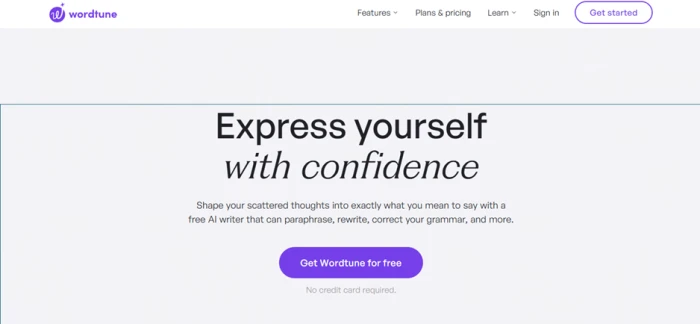
The landing page. The pitch is narrow and honest: it paraphrases, rewrites, and corrects grammar for what you already wrote.
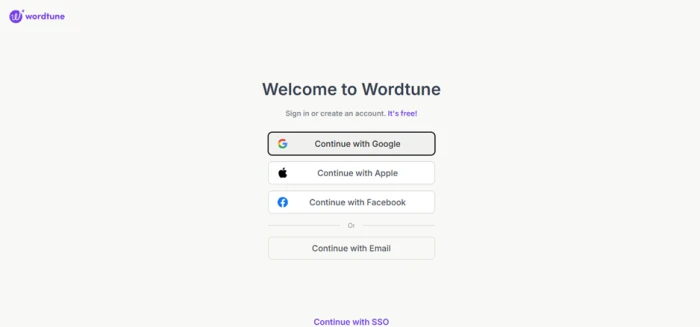
Sign-in options. Google, Apple, Facebook, email, and SSO all work, so most people are one click from writing.
My observation
Onboarding is frictionless. One Google click and I was in, with no card and no forced tour to sit through.
The editor and its toolbar
I pasted a plain paragraph about black holes to give it something to work with. The toolbar sits right above the text and holds every tool.
From left to right you get Rewrite for fresh phrasings, Formal and Casual for tone, the shorten and expand controls, a copy option, an arrow to continue writing, Ask AI for free-form prompts, and a Proofread bulb that flagged 11 issues on my paragraph.
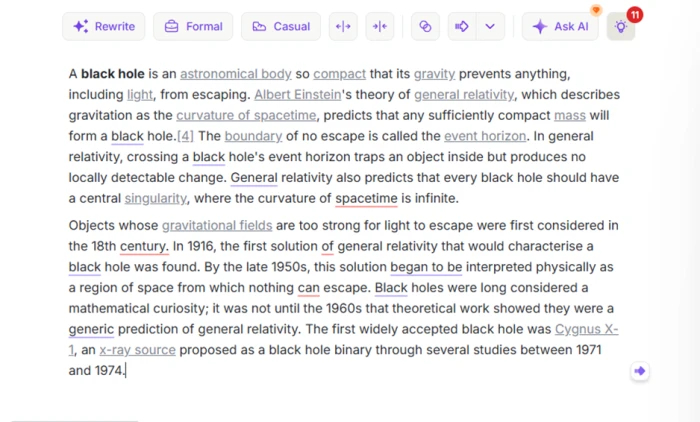
The editor with my pasted text. The toolbar is the whole interface, so there is very little to learn.
My take
The toolbar is refreshingly plain. Every tool is one click away and named in normal words, so there is nothing to figure out.
Proofread and corrections
The bulb opens a Proofread panel. On my paragraph it found four corrections and explained each one in plain terms.
It flagged spacetime to change to space-time, a stray period after century, the word of to become to, and can to become could. A single Fix all button applies them together.
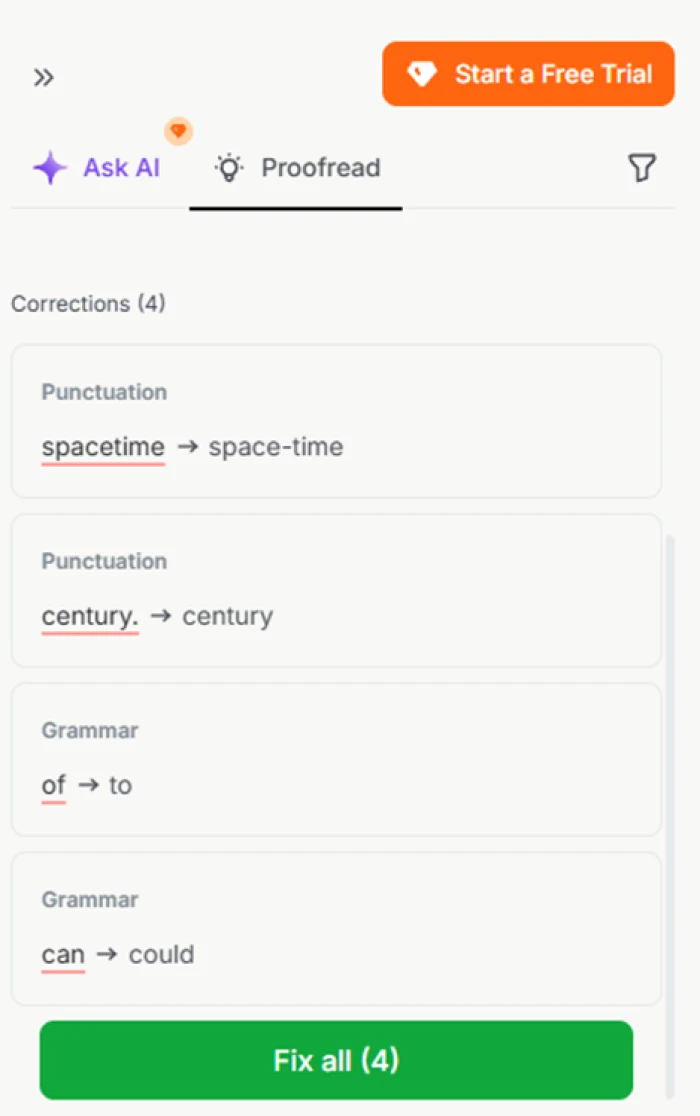
The Proofread panel. Each fix is labelled by type, shown as a before and after, and can be applied one by one or all at once.
What i see
The corrections were accurate and specific, and Fix all is a real time saver. This part is free, and it alone is worth installing the extension.
Rewrite in a formal or casual tone
The tone buttons are the heart of the editor. I highlighted the Cygnus X-1 sentence and tried both.
Formal returned several buttoned-up versions of the same line. Casual returned looser, friendlier ones. Each set gave three or four options to choose from, and the rephrasings kept my meaning intact.
The panel also shows a daily counter. It read nine generations left after the formal pass and eight after the casual one, with a gentle nudge to upgrade.
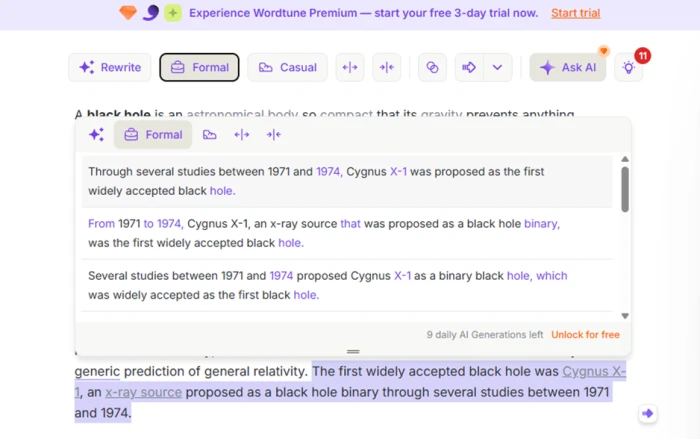
Formal rewrites. Several polished versions of one sentence, free within the daily generation limit.
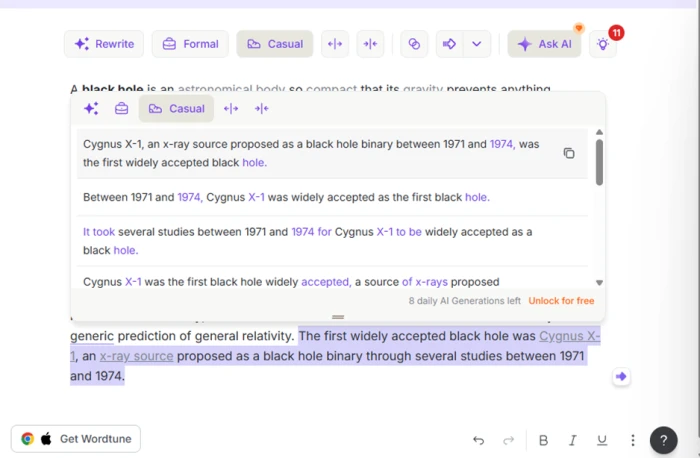
Casual rewrites of the same line. Same idea, lighter voice, and the counter ticked down by one.
My observation
This is where Wordtune shines. Three or four solid rewrites per sentence beats a blank cursor. The daily cap is the only catch on the free plan.
Ask AI, behind a paywall
Ask AI lets you type any instruction, such as make it friendly. When I tried it, the feature was locked.
A panel explained that Ask AI is a premium feature and offered a free trial to unlock it. The free-form box is the one tool the free plan does not include.
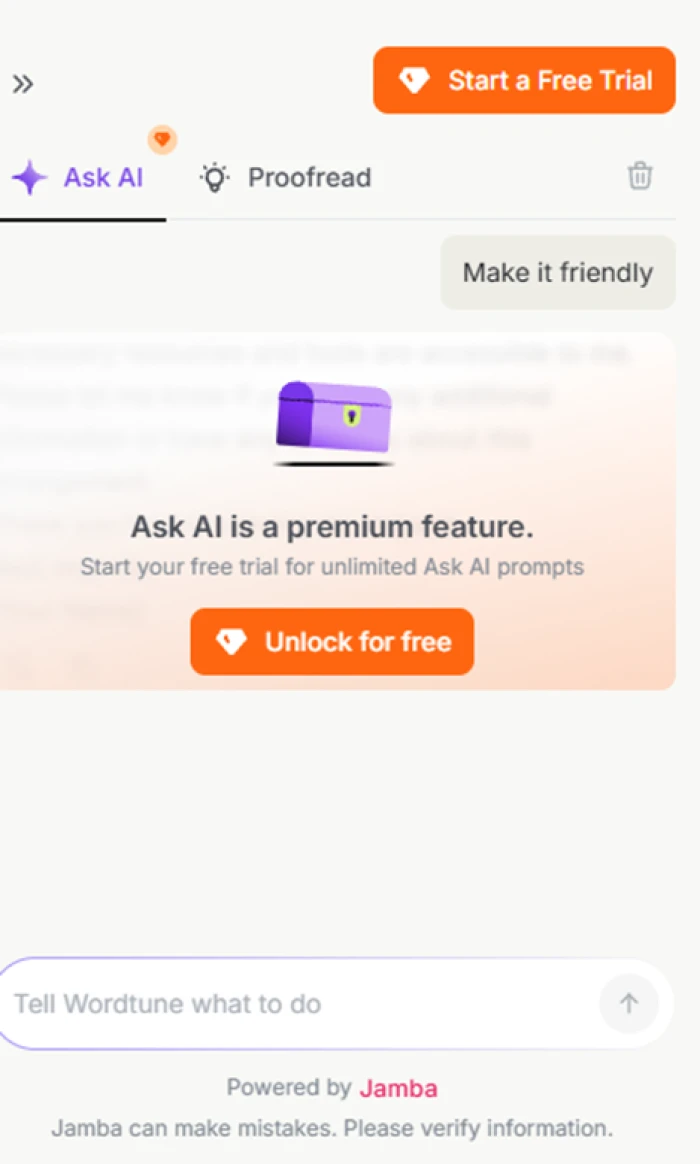
Ask AI is gated. The prompt box works, but sending anything prompts a trial. It runs on AI21's Jamba model.
My take
This is the friction point. The most flexible feature is gated, and the upgrade prompts appear often. Fair for a business, mildly annoying in daily use.
Pricing, in USD
Opening the plans shows three tiers, billed monthly or yearly, with yearly cutting roughly half the price.
Free Basic $0 forever
| Popular Advanced ~$6.99
| Best value Unlimited ~$9.99
|
Note: figures are in USD and shift with promotions, so check the pricing page for today's number. Team plans add shared access for around 7.99 dollars per user a month, and month-to-month Unlimited can run higher, up to about 19.99 dollars on some listings.
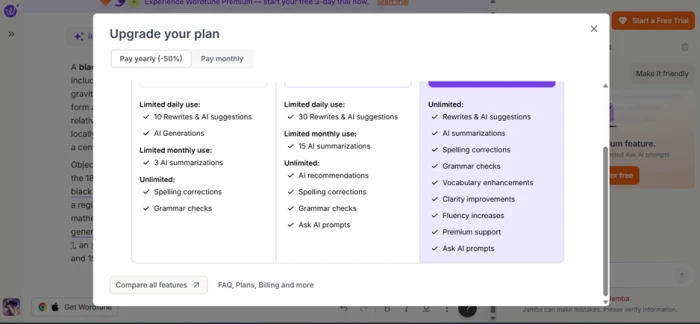
The upgrade panel. The yearly toggle shows a fifty percent discount, and each tier unlocks more daily use.
My take
The free tier is genuinely usable for light editing. If you rewrite all day, Unlimited pays for itself. Annual billing is the sensible route.
What real users say
Wordtune is well reviewed across the big software sites, with praise for ease of use and a few consistent gripes. Here are a couple of real ones, pulled from the top sites.
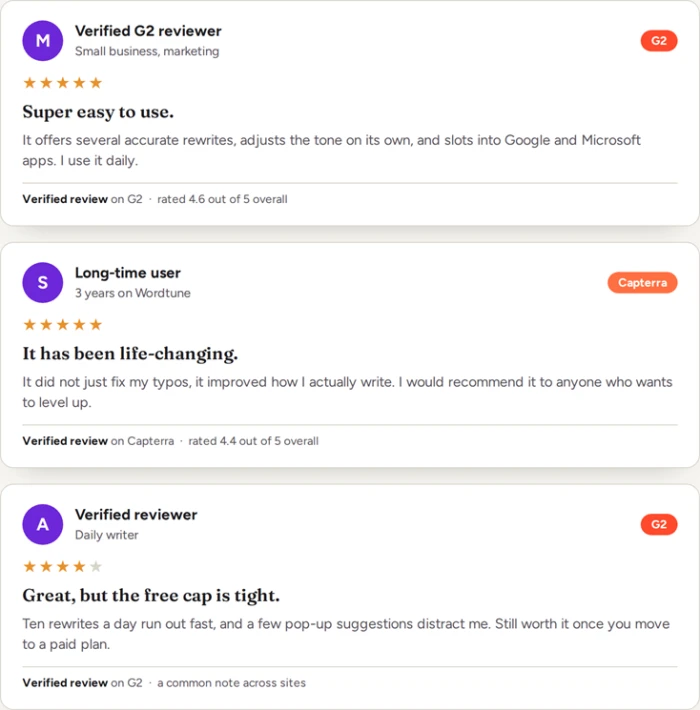
A few real reviews from G2 and Capterra. Two are glowing, and one is honest about the free plan's limits.
• Reviewers call it easy to use with accurate, varied phrasing, and a real help for non-native English writers. One G2 user sums it up as super easy to use.
• On Capterra, a multi-year user described the effect on their writing as life-changing, and now uses it daily.
• The most common gripe is the free cap of ten rewrites a day, and some find the pop-up suggestions distracting.
• One Capterra reviewer reported losing work when pages went blank, with support unable to fix a long-running bug.
• Others note there is no built-in plagiarism check and the tone can feel mechanical on long text.
You can browse the full sets on G2 and Capterra.
My take
The ratings match my session. The core editing is strong and easy, and the loudest complaints are about limits and price, not quality.
Small alternatives worth a look
If Wordtune is not the right fit, a few tools cover nearby needs.
• Grammarly: stronger grammar and style checking, with a generous free tier.
• QuillBot: paraphrasing and summarising at a lower price point.
• ProWritingAid: deep style reports, better suited to long-form and fiction.
• Type.ai: for drafting whole long pieces rather than polishing single sentences.
My verdict After an afternoon inside the editor, here is where I land. I would keep Wordtune open to clean up my own writing, but I would not ask it to fill a blank page for me. It fixed my clunky sentences in seconds, and the free tier covered most of what I needed. The moment I wanted real freedom, Ask AI wanted my card. So for me it is a polisher, not a writer, and at that one job it earns its spot on my toolbar. |