
| Tested | September 30, 2026, on the web version |
| Plan | Free (one essay generation, preview only) |
| Account | Created during the test. Nothing generates without one |
| Prompt | i want to write theoretical thesis on blackholes |
Writeless AI sells itself in one line: create high-quality research papers in seconds, with real academic citations, 100% undetectable. Two of those promises can be tested in an afternoon. The third is the kind of claim that should make any student pause. So I signed up for the free plan, typed the sort of rough prompt a stressed student actually types, and followed the process all the way to a generated paper.
This Writeless AI review walks through that session step by step, with a screenshot and a note on what I saw at each stage. After the walkthrough you will find the pricing, what real users say on Trustpilot, a plain look at the "undetectable" claim, the strongest alternatives, and a verdict on who should bother.
What is Writeless AI?
Writeless AI is an AI essay and research paper generator aimed at students and academics. You describe a topic, answer a short series of setup questions, and it produces a full paper with in-text citations and a reference list in APA, MLA, Harvard, Chicago or Vancouver style. It launched in 2023 and is run by a small team; its Trustpilot profile lists the company's contact location as the U.A.E.
The homepage says the tool is "loved by over 700,000 academics," and the pricing page describes paid output as up to 20,000 words and 20 citations per essay, plagiarism-free, in a human tone. A Tools menu in the navigation, flagged as New, adds a set of free helpers: an AI humanizer, a research assistant, a reference finder, a bibliography generator and a summarizer.
Two claims deserve scrutiny before you type anything. "Real academic citations" is checkable, and I checked what the free plan let me see. "100% Undetectable" is a promise to beat AI detectors such as Turnitin, which means the product is openly marketed for passing off AI-written work as your own. I come back to that further down, because it changes who this tool is for.
Landing on the homepage
The homepage is one big pitch. A green feather logo, a navigation bar with Pricing, Editor, Blog and a Tools item marked New, then a headline in black and green: "Create High-Quality Research Papers in Seconds." The subhead carries the two promises, real academic citations and 100% undetectable, with the second one in bold. Below that sits a green-bordered text box asking what you would like to write about, a "Start Writing for Free" button, and three small profile photos beside the line "Loved by over 700,000 academics."
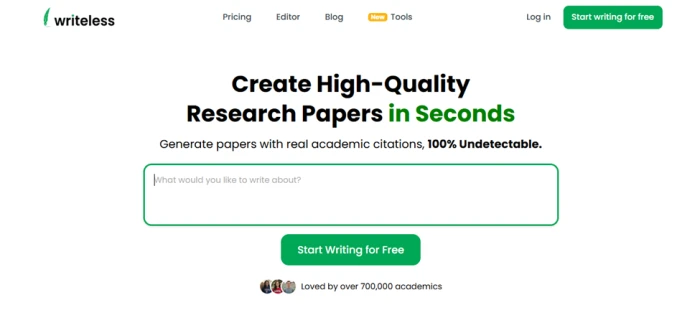
Screenshot 1: the Writeless AI homepage, logged out.
What I saw
The whole page fits on one screen, with nothing to scroll past before you can start. Green is used for exactly three things: the words "in Seconds," the outline of the box, and the two start buttons, so your eye lands on the box. The 700,000 figure has no link or source behind it. Nothing on this screen mentions plans, limits, or the login that comes next.
Typing the prompt and hitting the login wall
I typed a deliberately casual prompt: "i want to write theoretical thesis on blackholes." Lower case, no punctuation, and "blackholes" as one word. If the generator needs a polished brief to perform, this would expose it. Then I clicked "Start Writing for Free."
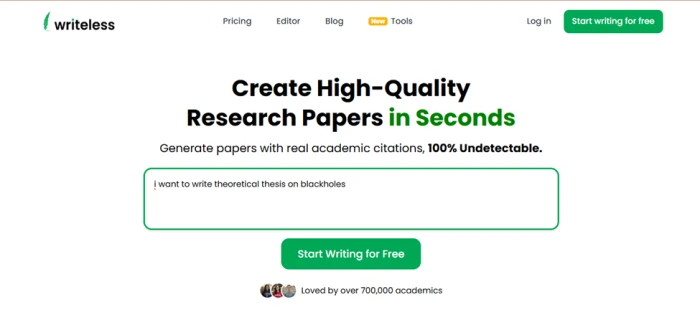
Screenshot 2: the prompt in the box, a moment before the button sent me to the login page.
Noticed
The click did not start anything. It sent me to a login screen. The box on the homepage is a funnel, not a tool: it takes your topic, then asks for an account. "Free" here means a free account with one preview, which the pricing page confirms later. The red underline beneath my lower-case "i" was the browser's spell-check, not the product.
The first thing after sign-up: a discount pop-up
After creating an account and logging in, the workspace loaded: a slim sidebar with New, Essays and Summarize, a greeting by first name, a "What would you like to write?" box with a Describe field and an "Attach PDF / Image" button, and a row of example topics to get started. I could not read any of it at first, because a modal covered the page.
The modal asked "Want 15% off?" beside a gift emoji, offered 15% off my first upgrade in exchange for joining the email list, and gave two choices: "Claim My Discount" in green and "Maybe later" in a plain outline.
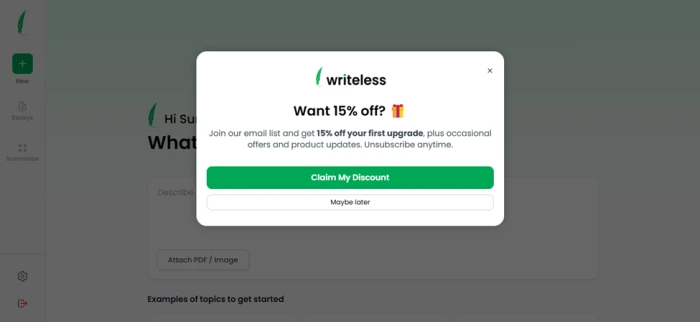
Screenshot 3: the email-list pop-up that appears before you can use the workspace.
First reaction
The first interaction after sign-up was a request for my email in exchange for a discount on a plan I had not seen yet. That sets the tone: the free tier exists to move you to paid. "Maybe later" closes it without fuss. Behind it, the Attach PDF / Image option is a real feature worth noting. You can hand the tool a source document or a photo of an assignment brief instead of typing everything out.
The setup wizard and the word count screen
The topic I typed on the homepage did not carry over, so I entered it again in the Describe box. That launched a six-step wizard. The first screens ask what you are writing (an essay, a blog post or a paper) and whether it is academic. I chose academic and paper. Step 4 of 6 is the word count screen, and it is the best-designed screen in the product.
Four preset cards sit across the top: Short (500 words), Standard (2,000), Detailed (5,000) and Long (10,000). Below them a slider lets you set any number, with a live readout of words and the page equivalent. Back and Next buttons frame a "Step 4 of 6" counter.
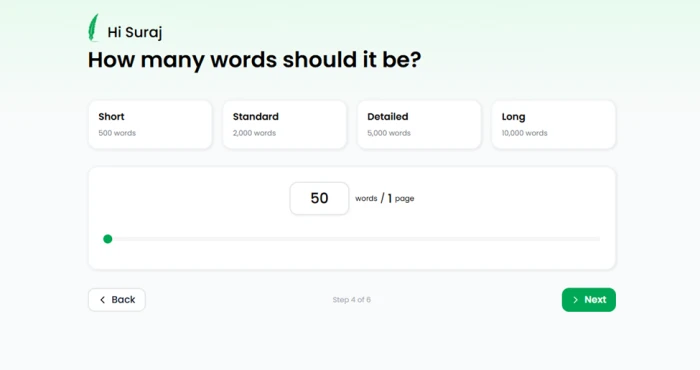
Screenshot 4: the word count step, with presets from 500 to 10,000 words.
My favourite screen
The presets map onto real assignment lengths, so a student does not have to guess what "detailed" means. The slider opens at 50 words / 1 page, a strange default for a paper writer, but the readout that converts words to pages is the kind of small touch that saves a mental calculation. One decision per screen, a clean layout, and no upsell anywhere on it.
Choosing citations
Step 5 is titled "Choose your citations." It has three controls: a slider for how many citations you want, from 0 to 20 (I set 4); a row of citation style buttons, Chicago, APA, MLA, Harvard and Vancouver (I picked APA); and a second slider for the minimum publication year of the sources (I set 2014).
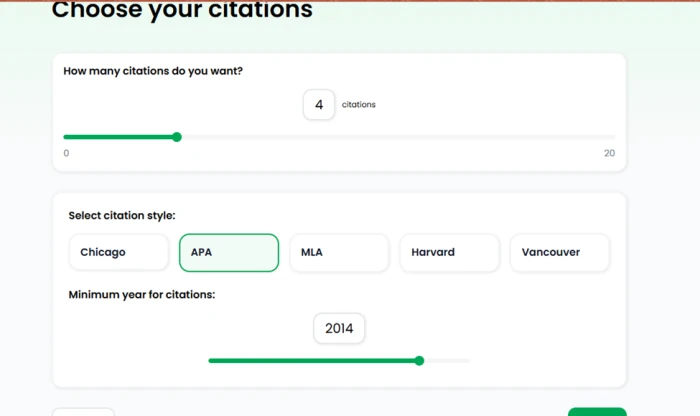
Screenshot 5: the citation step, with count, style and minimum year controls.
Worth flagging
The minimum year slider is the smartest control in the wizard. Plenty of courses require sources from the last five or ten years, and most AI writers give you no way to say so. Five styles cover almost every department. The ceiling of 20 citations matches the paid plan's limit, and you can also set the count to zero, which turns the tool into a plain essay generator with no references at all.
The generated paper and the paywall
The paper generated in under a minute and opened in an editor. There is a full rich-text toolbar: font family, bold, italic, underline, strikethrough, text and highlight colour, H1 to H4 headings, numbered and bulleted lists, indent controls, alignment and a link button. The sidebar gained a Research item. The paper carried the title "Black Holes & Info Paradox" and opened with a paragraph on black hole thermodynamics, Hawking radiation in 1974 and the four laws of black hole mechanics, then moved on to the information paradox and the holographic principle. An APA-style in-text citation to Grumiller and Sheikh-Jabbari (2022) appeared in the second paragraph.
The right half of the editor was faded behind a grey overlay reading "To save this essay, and to generate unlimited essays: See Plans." A green "Upgrade to export" button sat above the toolbar.
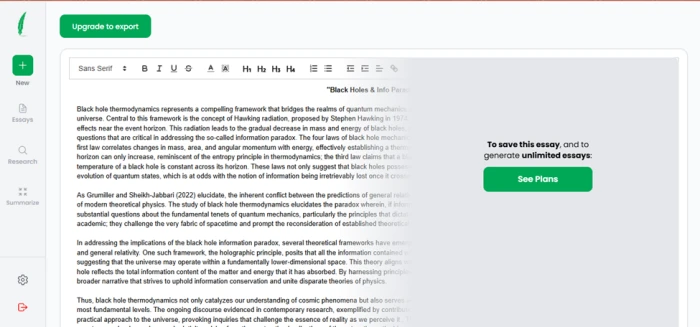
Screenshot 6: the finished paper on the free plan, readable on the left, paywalled on the right.
The catch
Only the left half of every line is readable. The paper exists in full, but the free plan shows a preview cut down the middle, with no save, no export and no copy. What I could read was coherent, on topic and pitched at undergraduate level, with a plausible-looking citation. What I could not do was open the reference list, because it sits below the fold in the faded zone. So the claim I most wanted to test, real academic citations, was behind the paywall.
One more thing: my prompt asked for a theoretical thesis on black holes, and the generator narrowed that to the information paradox on its own. That is a sensible angle, but it chose it for me, and the free plan gave me no way to steer it afterward.
Checking the pricing: Writeless AI plans
Clicking "See Plans" on the paywalled editor opens a modal titled "Subscribe to a Writeless plan." It matches the public pricing page: one free tier, and one paid tier billed three ways. Every paid option unlocks the same features; only the billing period changes the price.
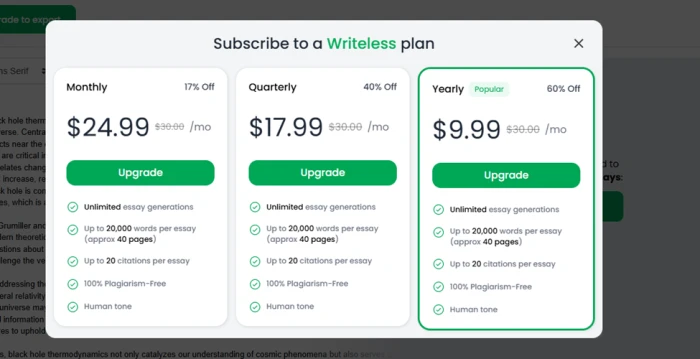
Screenshot 7: the plan picker that opens over the generated paper.
Takeaway
Three cards, the same five features on each, and the Yearly card outlined in green with a Popular badge and the largest discount. A $30 list price is struck through on every card, so each option looks like a deal, even though nobody pays $30. There is no pay-per-essay option and no trial of the paid tier; the single free preview is the trial. Notice what the modal covers: it opens over the paper you just generated, which is the moment the pitch is strongest.
| Plan | Price | What you get |
|---|---|---|
| Free | $0 | One free essay generation, preview only, basic essay tools. |
| Monthly | $24.99 per month, billed monthly (shown as 17% off a $30 list price) | Unlimited essay generations, up to 20,000 words per essay (about 40 pages), up to 20 citations per essay, plagiarism-free, human tone. |
| Quarterly | $17.99 per month, billed quarterly (40% off) | Same as Monthly. |
| Yearly | $9.99 per month, billed yearly, about $120 up front (60% off) | Same as Monthly. |
The $9.99 figure that appears in most listings is the yearly rate, and you pay the whole year at once. Several Trustpilot reviewers describe being charged the full annual amount and struggling to reverse it, so treat the yearly plan as a $120 decision rather than a $9.99 one. The company says there is no credit card required for the free plan and that you can cancel anytime.
What real users say about Writeless AI
My session was one prompt on one afternoon, on a plan that hides half the output. So I went looking for what paying users report. Trustpilot is the largest public record, and two editorial reviews from 2026 add hands-on testing.
3.4 / 5 Trustpilot, 54 reviews, 17 of them in the last 12 months. Trustpilot notes the company has not replied to negative reviews and has not recently asked customers for reviews. Checked September 2026. | 39% vs 41% The share of five-star reviews against the share of one-star reviews. Most products cluster at one end; Writeless splits almost evenly between delighted and furious customers. |
The praise
5 / 5 A business student who uses the essay writer, humanizer, summarizer and reference finder for competitions and proposals. Says she clicked through the citation links and found real, existing articles. Beyounce G., Trustpilot, May 2026 | 5 / 5 Went in sceptical and was surprised: the essay came back at 0% when run through other AI checkers. Tyrone W., Trustpilot, May 2026 |
5 / 5 Compares the tool to a helpful classmate from a first degree. Cross-checked some of the references and found them authentic. Yunana M., Trustpilot, August 2025 | 4 / 5 Finds it well thought out for brainstorming, general research and gathering references, and likes the newer menu for improving the output. Joe W., Trustpilot, November 2025 |
The criticism
1 / 5 Says the references were fraudulent and the writing nonsensical. Cancelled within the trial period, was charged $120 anyway, then charged again a year later, and ended up cancelling her card. Gina B., Trustpilot, March 2026 | 1 / 5 Output was undetectable at first, then began scoring 100% AI. The site then offered a further upgrade for its most undetectable mode, despite an active paid plan. Guitarman, Trustpilot, February 2026 |
1 / 5 Same pattern: after paying for a year, undetectable output became an extra fee. Will not renew. Chris, Trustpilot, December 2025 | 1 / 5 Calls the quality very low and posts a sentence the tool produced: "Another cause of discrepancies is the use of different reports of report." Colin, Trustpilot, October 2025 |
1 / 5 Could not cancel, and was charged $50 without having used the product once. Jesse, Trustpilot, August 2025 | 1 / 5 Bought what they took to be a three-month trial, was charged for all three months within an hour, then lost access to the service two days later with no reply from support. SourceForge reviewer |
Editorial Found the same patterns across Trustpilot and Reddit: weak output on complex topics, cancellation trouble, unexpected charges, vanishing credits and scripted support. Credits the tool for citation speed, format variety and long single-generation output. Rankolist, June 2026 | Editorial Generated a psychology essay without trouble, but could not copy or download it on the free plan, so never got to use the paper it had made. ScamFighter, April 2026 |
The two camps rarely disagree about the interface. They disagree about what happens after you pay: whether the references hold up, whether the output stays undetectable, and whether you can leave.
About that "100% undetectable" claim
Writeless AI's boldest promise is that its output will not be flagged by AI detectors. Three things are worth knowing before you rely on it.
• The claim is not stable. Several paying users report output that scored 0% one week and 64% or 100% AI the next, followed by a prompt to upgrade again for a more undetectable mode. Positive reviewers report scores of 0 to 3%. Both groups are probably describing their own runs accurately: detection results vary by detector, by topic and over time.
• Detectors are not the real risk. Most universities treat submitting AI-generated work as your own as academic misconduct whether or not a detector catches it. A tool that advertises evasion does not change your institution's policy, and it can add a second offence, deception, on top of the first.
• Reference accuracy is the check that matters. Two reviewers say they clicked through the citations and found real papers. One says the references were fabricated. On the free plan I could not open the reference list at all. If you use the tool, verify every reference before it goes anywhere near a submission.
Used as a structured first draft that you rewrite, source-check and make your own, none of this bites. Used as a submit-as-is machine, you are trusting a claim the tool's own customers dispute.
Strengths and limitations
Where Writeless AI shines • The six-step wizard turns a vague topic into a defined brief: type, level, length, citation count, style and date range. • Five citation styles plus a minimum publication year, a control most rivals lack. • Presets that match real assignment lengths, up to 20,000 words on paid plans. • A proper editor with headings, lists and formatting, and PDF or image upload for source material. • The readable half of the free preview was coherent, on topic and pitched at the right level. | Where it falls short • The free plan is a preview cut down the middle: no save, export or copy. • A marketing pop-up greets you before you have written a word. • The homepage prompt does not carry into the workspace, so you type it twice. • A 41% one-star share on Trustpilot, driven by billing, cancellation and support complaints. • Detection results that users say change over time, sometimes with a fresh upsell attached. • Marketing built around evading academic integrity checks. |
Writeless AI alternatives
Writeless AI sits in a crowded category of academic writing tools. Most of them make a different bet: help you write rather than write for you. Trustpilot scores below are the ones shown on Writeless's own Trustpilot page in September 2026.
| Tool | Best for | How it differs from Writeless AI |
|---|---|---|
| Paperpal | Editing and polishing your own academic writing | Built to improve text you wrote rather than generate it from scratch. Trustpilot 4.6 from 397 reviews, the strongest record in this group. |
| Jenni AI | Co-writing with citation suggestions as you type | Autocomplete-style drafting inside an editor, with citations offered as you go. The closest tool in spirit. Trustpilot 3.7 from 152 reviews. |
| SciSpace | Finding and understanding papers | An AI writer attached to a large paper database. Better for locating and reading real sources than for one-click essays. |
| Elicit | Literature reviews | Searches and summarises published studies. No paper generator, so nothing to be flagged. |
| Consensus | Evidence-backed answers | Answers questions from peer-reviewed papers, useful for building an argument before you write a word. |
| General assistants (ChatGPT, Claude, Gemini) | Flexible drafting and outlining | Conversational and adaptable, with no wizard. You have to ask for citations and verify each one yourself, which is also true of Writeless. |
If your goal is a paper you can defend, Paperpal or Jenni plus a source tool such as Elicit or Consensus is the safer stack. If your goal is a full draft to react to, Writeless is faster, and every caution above applies.
Who should use Writeless AI
A good fit: students who want a structured first draft and a starter reference list they intend to verify and rewrite, writers who need a long-form outline fast, and anyone who wants to see how the same argument reads in APA versus Harvard.
A poor fit: anyone planning to submit the output unedited, anyone who needs to export on a free plan, and anyone uncomfortable with an annual charge that several reviewers say is hard to reverse.
Verdict
Writeless AI has a better front end than its reputation suggests. The setup wizard, the word count presets and the citation controls are thoughtful, and the half of a black holes paper I could read was competent. The problems begin where the product meets your wallet and your integrity policy. The free plan is a teaser, not a trial. The paid plans are cheap only if you pay a year up front, and that is the exact plan reviewers say is hardest to leave. And the headline promise, undetectable text, is one the tool's own customers say it does not keep.
If you try it, use the monthly plan, verify every reference, and treat the output as a draft you rewrite. Do not build a submission on a claim that even the five-star reviewers can only vouch for on the day they tested it.