
Registration opens on a Monday. By Wednesday the inbox holds forty questions about the same fee schedule, a last-minute ice change from the facility, a request from a funder for mid-year numbers, and a reminder that the board package is due Friday. If that week sounds familiar, you are the reader this guide was written for.
Two things have changed since the first wave of AI chatbots arrived. The tools are now built into software you already pay for: your email client, your office suite, your survey platform, your video-meeting app. And the question has moved on from “should we try this” to “what is it actually good for here.” What follows is an answer to the second question, written for the people who run clubs, provincial and territorial bodies, and national federations.
Start with the job, not the tool
Product names change every few months. The work does not. A useful test for whether a task belongs with an AI assistant is that it meets three conditions: it is text-heavy, it repeats, and a person will look at the result before it goes anywhere. Drafting the weekly newsletter passes all three. Deciding who makes the provincial team fails the last one, and that is the one that matters.
With that test in mind, here are five jobs most sport organizations will find are worth handing over, at least for the first draft. Each one ends with two or three tools worth trying, picked for organizations with small budgets and no IT department.
1. The weekly update, and the questions you answer every week

The weekly parent email is the most common first task organizations hand to an assistant.
Season communications are the most obvious fit. Give an assistant three of your past member emails as a style sample, the facts for this week, and a description of the audience, then ask for a first draft in your voice. The result will not be ready to send, but it turns a blank page into an editing job, which is a much shorter job.
The same approach works for the questions that arrive in bulk: fee schedules, uniform orders, weather policies, tryout dates. Keep one plain document of approved answers and let the assistant draft replies from it. If the answer is not in the document, the reply should say that a person will follow up, not guess.
Prompt starter “Below are three past emails to parents. Using the same tone, write a 150-word update for U13 families covering: practice moves to Tuesdays at 6 pm starting October 7; photo day is October 12; the fall fee deadline is October 15. Keep the reading level around grade 8 and end with one clear ask.” |
Tools to try
▪ Copilot or Gemini, inside your office suite. Whichever one your organization already pays for. Both draft directly in Outlook or Gmail and Word or Docs, so nothing is pasted into a separate site. Gemini is included on paid Google Workspace plans; Copilot is a paid add-on to Microsoft 365.
▪ ChatGPT or Claude. General assistants with free tiers. Best when you paste a style sample and this week's facts in one message. Use a team or business account if you want control over how your data is handled.
▪ Canva Magic Write. Drafts captions and poster text inside the design tool many clubs already use for game-day graphics. Handy for social posts; less suited to long emails.
2. Reaching members in more than one language

Machine translation now carries the first draft of routine notices; a bilingual reader still does the last pass.
For organizations that serve members in English and French, or communities where a third language is common, machine translation is now good enough to carry the first draft of most routine material: schedules, registration instructions, general announcements. Run the text through a translation tool, then hand it to a bilingual reader for a final pass. That order, machine first and person second, is what stretches the professional translation budget, because the reviewer is correcting rather than starting from zero.
Two related uses are easy to overlook. Assistants are good at rewriting dense text into plain language, which helps newcomers, younger athletes and anyone reading on a phone in a parking lot. They are also good at drafting alt text for images and captions for video, accessibility basics that many organizations are still catching up on.
Keep in mind Anything that carries legal, medical or safety meaning, such as codes of conduct, concussion protocols or waiver language, still needs a professional translator. The machine draft is a head start, not the final copy. |
Tools to try
▪ DeepL. The strongest choice for English and French. A formality toggle handles the vous/tu decision, uploaded Word and PowerPoint files come back with their formatting intact, and paid plans let you set a glossary of your organization's terms. The free tier limits document uploads per month.
▪ Google Translate. Covers well over a hundred languages, free and unmetered, which makes it the fallback for a community language DeepL does not support. Quality drops on technical or legal wording.
▪ Built-in captions and alt text. YouTube, Zoom and PowerPoint (and their equivalents) generate captions and image descriptions that you edit rather than write. Check athlete names and sport terms first; automatic captions mangle both.
3. Grant applications and funder reports

Bullet-point notes plus the funder's criteria are enough for an assistant to produce a structured first draft.
Most funding applications ask the same questions in slightly different words. Assistants are effective at taking a page of bullet-point notes about a program, plus the funder's own criteria, and producing a structured first draft that addresses each criterion in order. They are equally effective in reverse: taking your final report and condensing it into a one-paragraph update for the board or a short post for members.
The rule here is strict: the assistant never supplies a number. Participation figures, retention rates, budget lines and outcomes come from your records, and someone checks every figure in the draft against its source before the application goes out. An assistant will happily write “85% of participants reported improved confidence” whether or not a survey was ever run.
Tools to try
▪ Grantable. Built for nonprofits. It drafts from your own past proposals and organization profile rather than the open web, and tracks deadlines and documents alongside the writing. There is a free tier, with discounts for small organizations on paid plans.
▪ Instrumentl. Primarily a grant-discovery database, with an AI drafting module added on. Priced in the hundreds of dollars a month, so it suits a national federation with a funding pipeline better than a community club.
▪ ChatGPT or Claude. Fine for occasional drafting when you already have the funder's criteria and your notes. Paste both, ask for a draft that answers each criterion in order, and then verify every claim it makes.
4. Meetings, minutes and the 40-page policy
Transcription with everyone's consent removes one of the least popular volunteer jobs in sport governance.
Video-meeting platforms can now transcribe a board or committee call and produce a summary with action items. Used with the consent of everyone on the call, that removes one of the least popular volunteer jobs in sport governance. Read the summary the same day while the discussion is fresh, correct it, and file it. A machine-written record should never become the official minute without a person signing off.
Assistants are also useful readers. Give one a long policy document from a national body or a funder and ask for a two-paragraph briefing on what changes for your organization, then use that briefing to decide which sections deserve a full read. It is a way to prioritize reading, not a way to skip it.
Tools to try
▪ Zoom AI Companion. Included on paid Zoom plans. It transcribes and summarizes without a separate bot joining the call, which keeps the meeting feeling like a meeting. Microsoft Teams and Google Meet offer the same on their paid tiers.
▪ Fathom. A free tier with unlimited recording and summaries for Zoom and Meet. It joins as a visible participant, which makes the consent conversation simple: everyone can see it is there.
▪ Otter.ai. Shows a live transcript on screen as people talk, useful for accessibility and for members who prefer to read along. The free tier has a monthly minute cap.
5. Turning registration and survey data into something a board can use
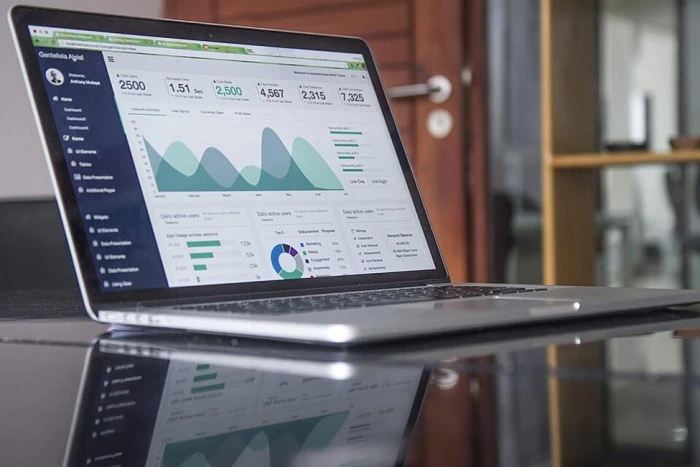
The end-of-season report can show registration trends clearly without anyone becoming the office's chart specialist.
Spreadsheet software increasingly includes an assistant that can describe a dataset, suggest a chart, and write the sentence that goes underneath it. For a small organization, that means the end-of-season report can show registration trends, dropout points by age group, or survey results clearly, without anyone having to become the office's chart specialist.
Ask for the plain-language interpretation as well as the chart, then check that the words match the numbers. Assistants are prone to describing a small change as a trend. Your board will want to know whether a 6% dip in U15 girls is noise or a pattern, and that judgment is yours to make.
Tools to try
▪ Copilot in Excel. Describes a dataset, builds pivot tables and charts from a plain-English request, and explains what it sees. A paid add-on to Microsoft 365. Reliable on clean tables, shaky on messy ones, and its formula logic needs a check.
▪ Gemini in Google Sheets. Included on paid Workspace plans. The sidebar suggests charts and writes formulas, and “Help me organize” turns pasted notes or a messy export into a structured table. It is cautious with anything that looks like personal data, which is not a bad trait here.
▪ Julius AI. Upload a CSV, ask questions in plain language, and get charts and tables back rather than cells. Useful when nobody on staff is the spreadsheet person. A free tier is available.
Three jobs to keep in human hands
Some work fails the three-part test in ways that are not about efficiency at all. These stay with people.

Selection, discipline and safe sport are decisions people make and own.
- Safe sport disclosures and complaints. Anyone who discloses harm deserves a trained person, not an automated reply, and the details of what they said must not enter a system your organization does not control.
- Anything containing a minor's personal information. Names, dates of birth, medical notes, contact details and images of young athletes stay out of general-purpose AI tools unless your organization has a signed agreement with the provider that covers how the data is handled and where it is stored.
- Decisions with consequences. Team selection, discipline, funding allocations, hiring. An assistant can help you write the policy and organize the paperwork, but the decision is made and owned by people who can explain it.
A quick reference for the office wall
When a new use comes up, this is usually enough to sort it.
| Go ahead | Drafting newsletters and announcements. Summarizing public documents. First-draft translation of routine notices. Alt text and captions. Reformatting your own data. Brainstorming event ideas. |
| Go carefully | Meeting transcription (everyone consents). Grant drafts (every figure verified). Replies to individual members (reviewed before sending, no personal details in the prompt). Social posts about athletes (consent and accuracy confirmed). |
| Stop | Safe sport complaints. Medical information. Selection, discipline and hiring decisions. Anything containing a minor's personal data. Anything you would not want quoted back to you in public. |
Run a one-week pilot
You do not need a strategy to find out whether this helps. You need one task, one person and five working days. Tick these off as you go.
- Pick one recurring task (the weekly update is a good candidate) and one person to own it.
- Agree on the data rule: nothing about an individual member goes into the tool.
- Save three past examples of the task as a style sample.
- Draft with the assistant, edit by hand, and time it against last week.
- Write down what it got wrong. That list is your first review checklist.
- Decide together: keep it, adjust it, or drop it.
Six questions for a one-page AI policy
A policy does not need to be long to be useful. If your board can answer these six questions and write the answers down, you have one.
1. Which tools are approved, and who approves a new one?
2. What information is never entered into an AI tool?
3. Who reviews AI-drafted material before it is sent or published, and how do they record that?
4. When do we tell members that AI was used?
5. What happens when a mistake reaches the public?
6. When will we review these answers?
The tools will change names
Whatever assistant you use today will be renamed, replaced or absorbed into something else within a couple of seasons. The habits in this guide will not: start with the task, keep member data out, put a person between the draft and the public, and write down what you decided. Organizations that build those habits now will be in good shape no matter which product wins.