

QUICK ANSWER For finding a tool by the job it does, start with There's An AI For That. For the widest catalog and trend data, use Toolify. For learning while you browse, Futurepedia. For a hand-curated feed, Future Tools. For fast AI-powered filtering, TopAI.tools. The smart move is to pair one broad directory with one curated one. |
OpenFuture AI indexes around 40,000 tools, which is impressive, but sheer volume is only half the job. A directory also has to help you find the right tool quickly, keep its listings honest, and prune the dead ones.
That is where these alternatives come in. Each one approaches discovery differently, whether through task-based search, editorial curation, traction data, or AI-powered filtering. Below are five of the best, each with a real screenshot, its standout features, and who it suits, followed by four deeper comparisons.
What to look for in a directory
A bigger list is not automatically a better one. Before you trust any directory, it helps to weigh a few things.
• Curation versus volume. A huge catalog only helps if quality is controlled and dead tools are removed.
• Search that matches how you think. By task, by category, or by the underlying model, the best fit depends on how you hunt.
• Freshness. Daily updates and pruning keep a directory useful rather than a graveyard of broken links.
• Transparency. Clear pricing labels and honest rankings, rather than pure pay-to-play placement.
• Extras. Reviews, courses, comparisons, and deals turn a list into a decision aid.
1. There's An AI For That
Best for task-based search
Often called the front page of AI, TAAFT lets you search by the job you want done rather than by tool name. Type a task and it surfaces tools built for it. The index is enormous and manually vetted, and the homepage doubles as a live feed of new tools, models, and AI news.
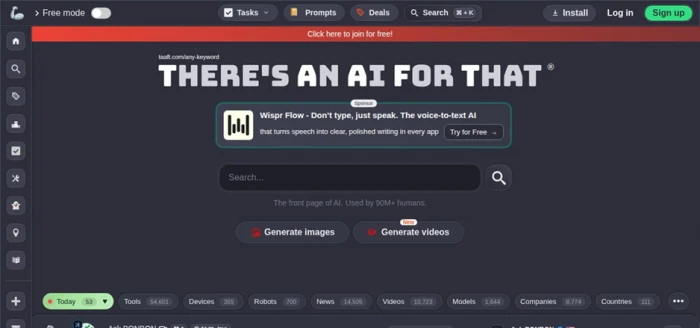
There's An AI For That: a task-first search bar over a vetted index of tens of thousands of tools.
• Task-first search. Describe what you want to accomplish and get tools matched to that job.
• Huge, vetted index. Tens of thousands of listings, plus separate tabs for models, videos, and companies.
• Daily pulse. New tools, rankings, deals, and AI news update constantly.
• Deals and prompts. Beyond tools, it curates AI deals and a prompt library in the same place.
| Good to know: Free to search and browse, with an optional paid membership for power features and paid featured placements. The homepage can feel busy, since sponsored slots sit inside the feed. |
| Best for: anyone who knows the outcome they want but not which tool delivers it. |
2. Toolify
Best for the widest catalog
Toolify is one of the largest directories anywhere, indexing tens of thousands of tools across hundreds of categories and refreshing daily. Its real edge is data: rankings by traffic and revenue, plus Most Saved and Most Used views that show what is actually gaining traction.
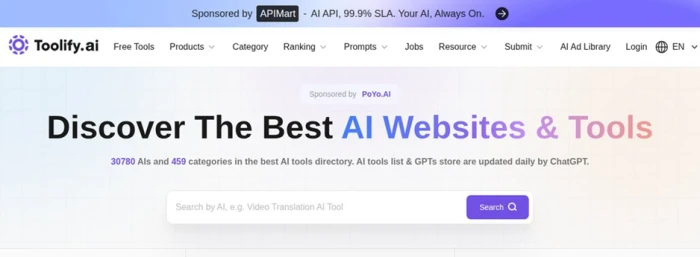
Toolify lists 30,000-plus AI tools across 459 categories, updated daily with traffic and revenue rankings.
• Massive coverage. If a tool exists, there is a good chance Toolify has it, across 450-plus categories.
• Traction data. Rankings by traffic and revenue help you spot which tools are rising.
• Daily updates. Automated discovery and submissions keep the catalog fresh.
• More than a list. A GPTs store, a jobs board, and a browser extension round out the platform.
| Good to know: Free to browse, with sponsored and featured listings available to vendors. Because discovery is largely automated, listing quality varies more than on hand-curated lists. |
| Best for: broad market scans and finding long-tail or trending tools that smaller lists miss. |
3. Futurepedia
Best for learning as you browse
Futurepedia pairs a curated tool directory with a full AI education platform. Alongside its categories you get courses, tutorials, and video reviews, so you can understand a category before committing to a tool. It leans toward business and productivity use cases.

Futurepedia frames itself around mastering AI for business, blending curated tools with courses.
• Curated over exhaustive. A tighter, editor-reviewed catalog rather than a raw scrape.
• Built-in education. Nearly 30 courses and 1,000-plus lessons sit next to the listings.
• Video reviews. Walkthroughs give context a listing page cannot.
• Business focus. A dedicated AI-for-business track targets team and workflow use cases.
| Good to know: Free to browse, with optional paid tiers and a paid route for tool submissions. The catalog is smaller than the giants, so some niche tools will not appear |
| Best for: newer AI users who want to understand a category before picking a tool. |
4. Future Tools
Best for a trusted human filter
Run by AI educator Matt Wolfe, Future Tools is a hand-curated hub rather than an open catalog. It combines a filtered list of vetted tools with a heavy stream of AI news and a Top 20 of the tools worth watching right now, all tied to a large newsletter and YouTube following.

Future Tools blends a hand-picked tool list with daily AI news, curated by Matt Wolfe.
• Human curation. Tools are selected, not auto-submitted, so the signal-to-noise ratio is high.
• News plus tools. The latest AI headlines sit alongside the picks.
• Simple filters. Sort by pricing and category to shortlist quickly.
• Big following. A newsletter of 250,000-plus readers and an active YouTube channel back the picks.
| Good to know: Free to browse and sponsor-supported, with a free newsletter. Being hand-picked means the list is smaller and leans toward the editor's taste. |
| Best for: people who want a trusted editor to pre-filter the noise for them. |
5. TopAI.tools
Best for fast, precise filtering
TopAI.tools centers on an AI-powered search box: describe what you want to create and it returns matching tools instantly. On top of that sit granular filters, including by the underlying model, plus community votes and curated collections for narrowing a shortlist.
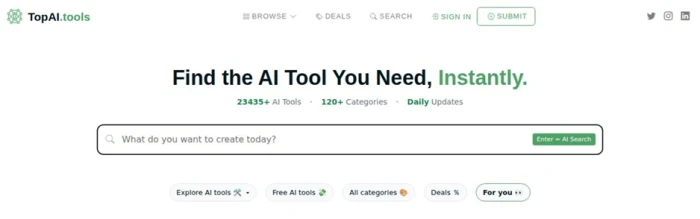
TopAI.tools: an AI search bar over 23,000-plus tools with granular, model-level filtering.
• AI-powered search. Ask in plain language and get relevant tools back at once.
• Granular filters. Narrow by category, pricing, and even the model a tool runs on.
• Community signals. Votes and collections help surface the stronger options.
• Collections. Curated collections group tools by use case for faster shortlisting.
| Good to know: Free to browse, with featured listings and deals for vendors. The AI search is handy, but like any ranking it can favor promoted or popular tools. |
| Best for: creators who want to filter precisely and search the way they think. |
The five directories side by side
Tool counts are approximate and shift constantly, so read them as scale, not exact figures.
| Directory | Approx. tools | Approach | Best for |
|---|---|---|---|
| There's An AI For That | 50,000+ | Task-based search, vetted | Finding a tool by the job |
| Toolify | 30,000+ | Huge catalog, traction data | Widest coverage and trends |
| Futurepedia | Curated | Editorial plus courses | Learning while you choose |
| Future Tools | Hand-picked | Human-curated plus news | A trusted daily feed |
| TopAI.tools | 23,000+ | AI search, granular filters | Fast, precise discovery |
| Counts and features change often, and some directories rank by popularity, submission, or affiliate value. Always confirm pricing and status on a tool's own site before you commit. |
A deeper comparison
The overview above covers scale and purpose. These four cuts go a level deeper, so you can match a directory to how you actually work.
1. How each one helps you search
The search model is the biggest practical difference. Task-based, keyword, category, and AI-powered search each suit a different way of hunting.
| Directory | Primary search method | Handy filters |
|---|---|---|
| There's An AI For That | Search by task or outcome | Tabs for tools, models, videos, companies |
| Toolify | Keyword and category | 459 categories, ranked by traffic and revenue |
| Futurepedia | Category browsing | 54 curated categories with subfilters |
| Future Tools | Curated list and a Top 20 | Filter by pricing and category |
| TopAI.tools | AI-powered natural-language search | Category, pricing, and model filters |
2. Access and pricing
Good news first: every one is free to browse. The paid layers are about promotion for vendors, not access for you.
| Directory | Browsing | Paid options |
|---|---|---|
| There's An AI For That | Free | Optional membership and featured placements |
| Toolify | Free | Sponsored and featured listings for vendors |
| Futurepedia | Free | Optional paid tiers and paid submissions |
| Future Tools | Free | Sponsor-supported, with a free newsletter |
| TopAI.tools | Free | Featured listings and vendor deals |
3. Curation and freshness
This is where quality lives. Hand-picked lists trade breadth for trust, while automated ones trade trust for breadth.
| Directory | Curation | Updates |
|---|---|---|
| There's An AI For That | Manually vetted with community votes | Many new tools every day |
| Toolify | Automated discovery plus submissions | Daily |
| Futurepedia | Editorial review | Regular, curated additions |
| Future Tools | Hand-picked by the editor | Daily additions |
| TopAI.tools | Mixed, with community votes | Daily |
4. Extras beyond the listings
The best directories do more than list. Education, news, data, and deals are what set them apart once the catalog is a given.
| Directory | Standout extras beyond the listing |
|---|---|
| There's An AI For That | AI news feed, prompt library, deals, and rankings |
| Toolify | Traffic and revenue data, a GPTs store, and a jobs board |
| Futurepedia | 29 AI courses, video reviews, and a newsletter |
| Future Tools | A heavy AI news stream, a Top 20 list, and a large newsletter |
| TopAI.tools | Use-case collections, deals, and model-level filters |
How to pick the right one
You do not need all five. Match the directory to how you are searching.
• You know the job, not the tool. Start with There's An AI For That and search by the task.
• You want the widest net. Toolify or TopAI.tools give you the most listings and filters.
• You are still learning AI. Futurepedia's courses and reviews explain a category before you choose.
• You want a trusted filter. Future Tools hand-picks the tools worth your attention.
• You want the safest setup. Pair one broad directory with one curated one, and verify on the tool's own site.
Directories are not your only option. For brand-new launches, a platform like Product Hunt surfaces tools on their first day, and for open-source models, Hugging Face is a directory of a different kind.
The bottom line
OpenFuture AI is a reasonable starting point, but each of these five covers a weak spot it leaves open, whether that is task-based search, editorial curation, learning resources, or model-level filtering. None of them is complete on its own, and none should be treated as buying advice.
Use a directory to discover and shortlist, then do the real check on the tool's own website. Pair a broad index like There's An AI For That or Toolify with a curated source like Futurepedia or Future Tools, and you will cover far more ground than any single directory can.
BOTTOM LINE There is no single best AI tool directory, only the best one for how you search. Keep one broad and one curated directory bookmarked, treat every ranking as a starting point rather than a verdict, and confirm the details at the source. |